For Mac and iPad
The translation editor that keeps your formatting
For translation students and freelance translators. Open a Word document or a PDF and translate it sentence by sentence, with your translation memory and terms at hand, while bold, italics and footnotes stay where they belong.
- English → Turkish
- French → Turkish
- Word (.docx) and PDF
- No account, no server
Features
Focus on the translation, let Lingtra remember the rest
Everything you expect from a translation tool, in a calm interface tuned for Turkish.
Your formatting stays put
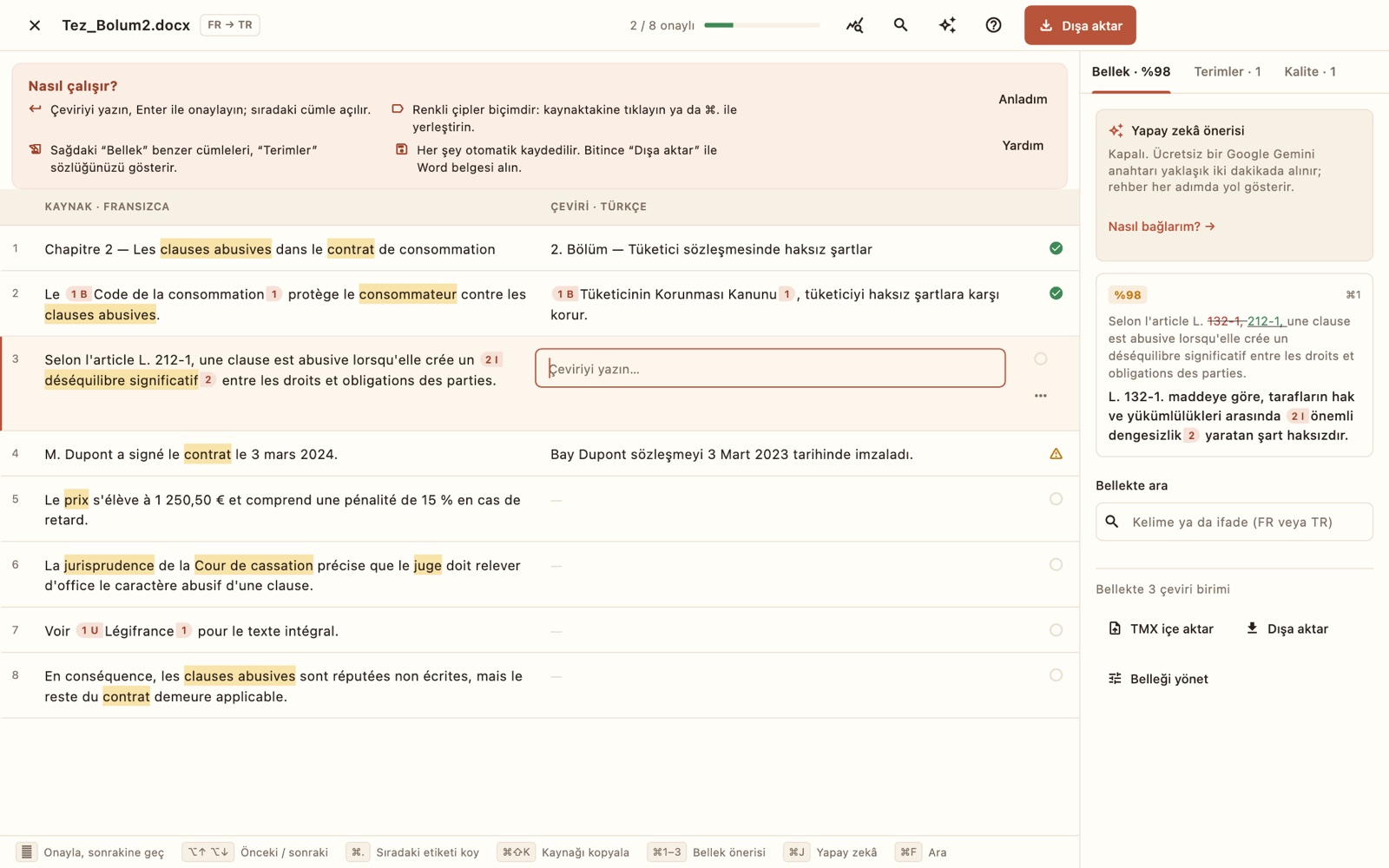
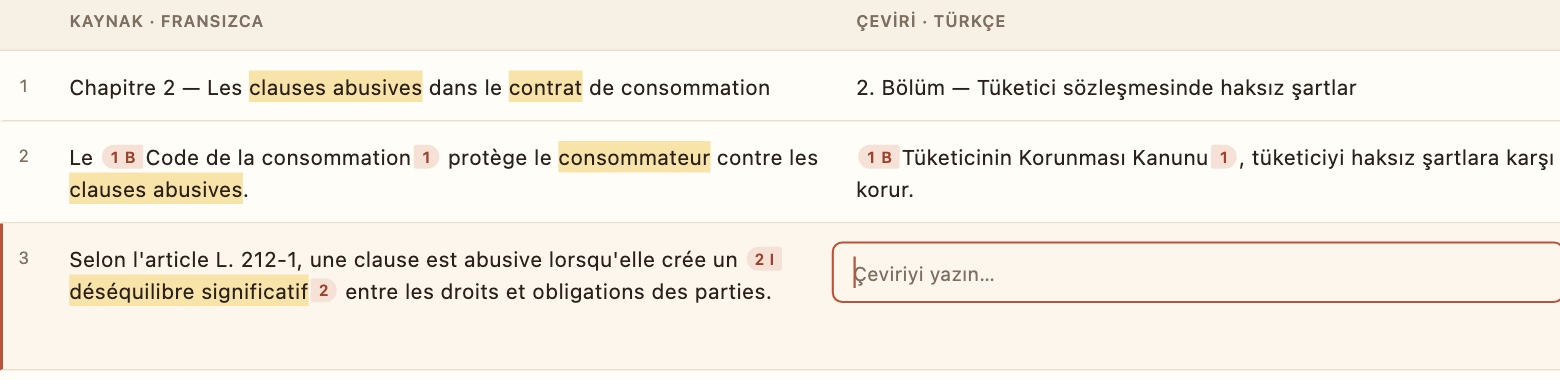
Your document is split into sentences, and formatting such as bold, italics, underline and footnotes appears as colored tags. Place each tag where it belongs in your translation, and the exported Word file rebuilds the same layout.
- Your original file is never touched; the translation is a separate
_TR.docx - Exported text is marked as Turkish, so Word's spell check just works
- Press Enter to confirm and the next sentence opens; everything saves automatically
A translation memory that never forgets
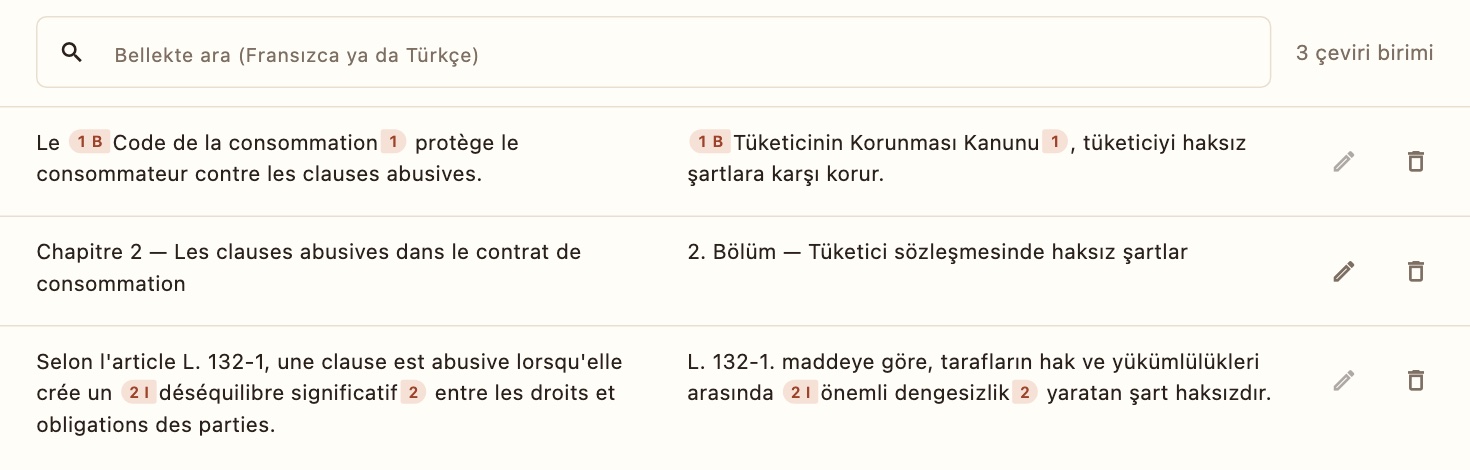
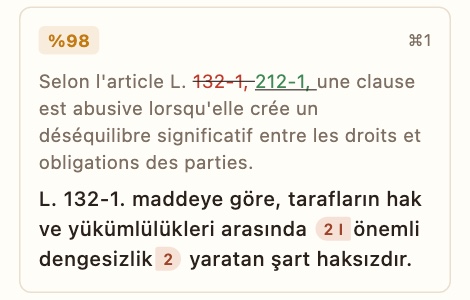
Every sentence you confirm goes into memory. When a similar sentence comes up, the suggestion appears with a match percentage and the words that changed are highlighted; apply it with ⌘1.
- Fuzzy matches with a % score and highlighted differences
- Search the memory for any word or phrase (concordance)
- TMX import and export; your memory stays yours
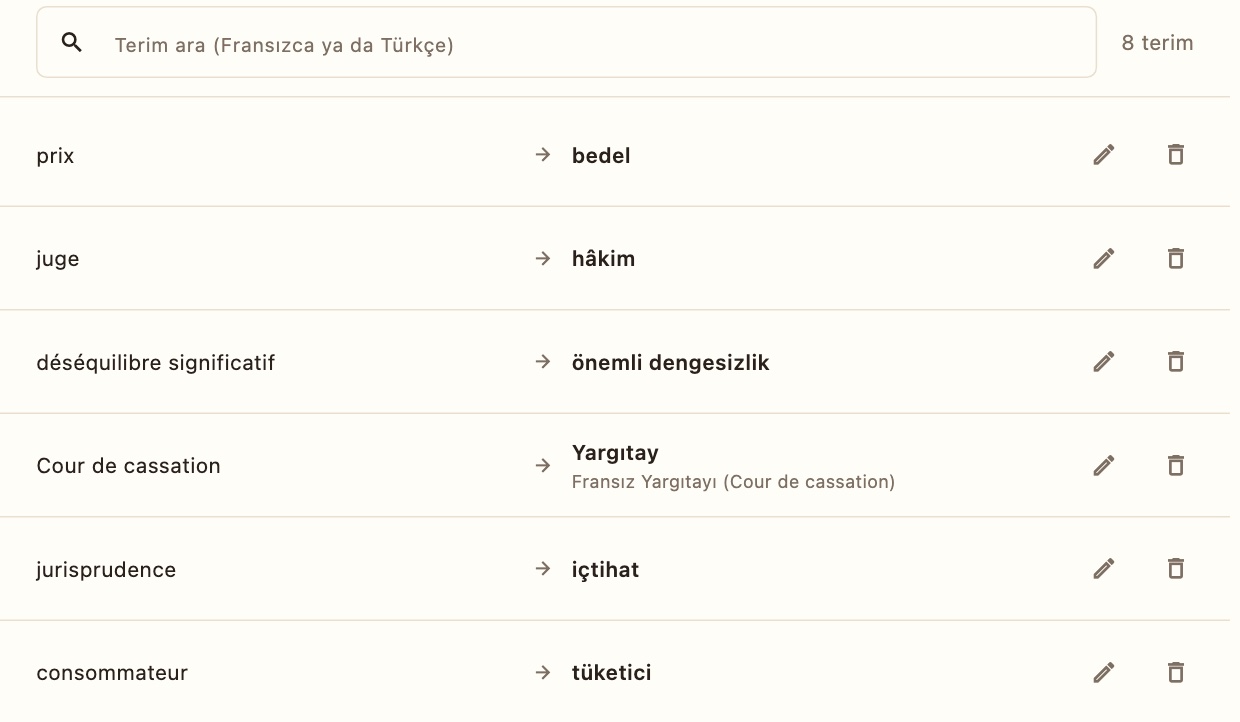
Terms are found, even with Turkish suffixes
If your term is “sözleşme” and the translation says “sözleşmesinde”, Lingtra still recognizes it; on the source side it finds French and English inflected forms too. A term you forgot to use shows up as a quality warning.
- Add, search, edit and delete terms on one page
- Import from Excel as CSV, export back to CSV
- Terms and memory are kept separately per language pair
Quality checks while you type
Not at delivery, but as you translate. A missing formatting tag, a mismatched number, an unused term or an empty sentence is flagged right away.
- Number-format aware:
1,250.50and1.250,50are the same number - Warnings are counted in the Quality tab and marked next to the sentence
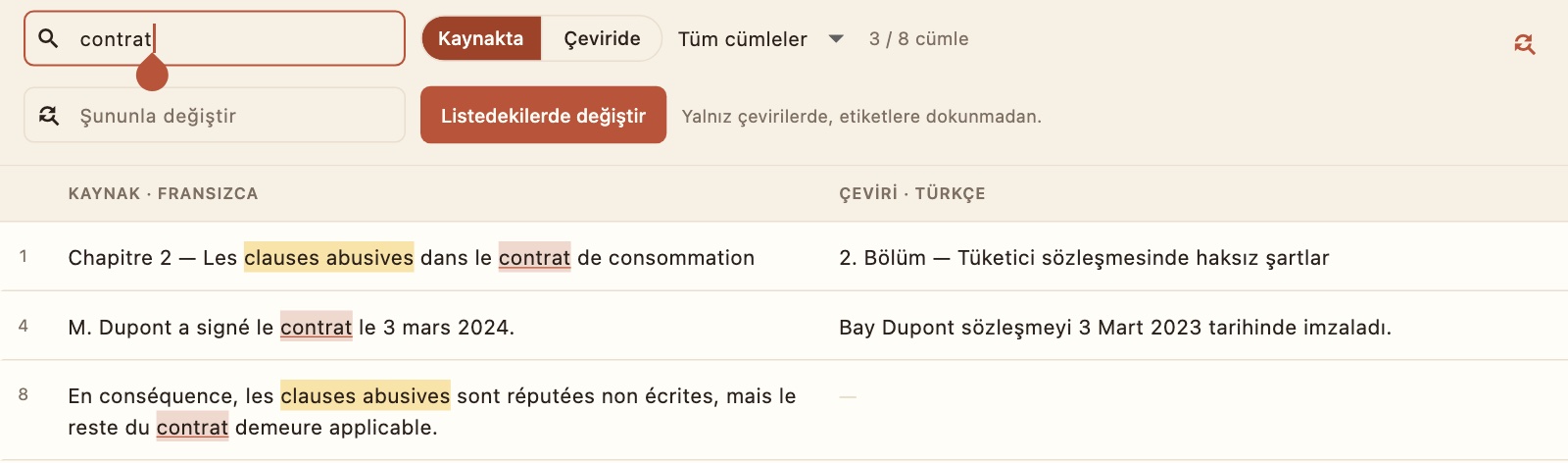
2024 in the source, 2023 in the translation1 250,50 € ↔ 1.250,50 €Find, filter, replace
List every sentence that contains a word; search the source or the translation, and filter by confirmed or empty sentences. Replace works on translations only and never touches tags.
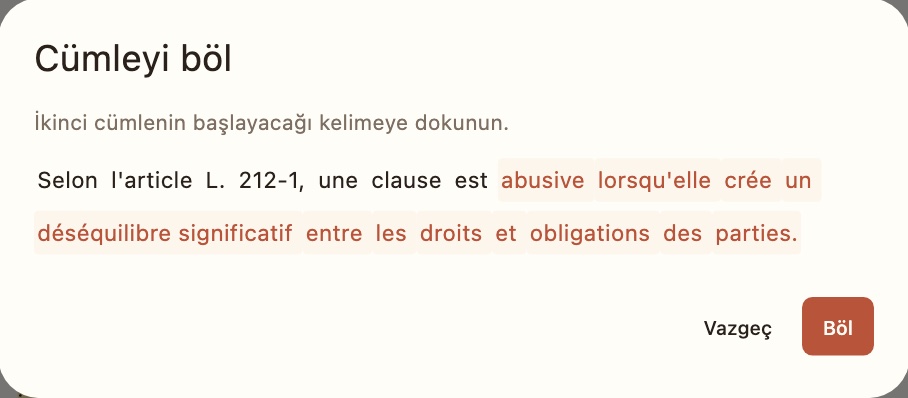
Merge and split sentences
If the document was split in the wrong place, merge two sentences; split a long one by tapping the word where the second sentence should begin. Formatting and tags are preserved.
Word count before you quote
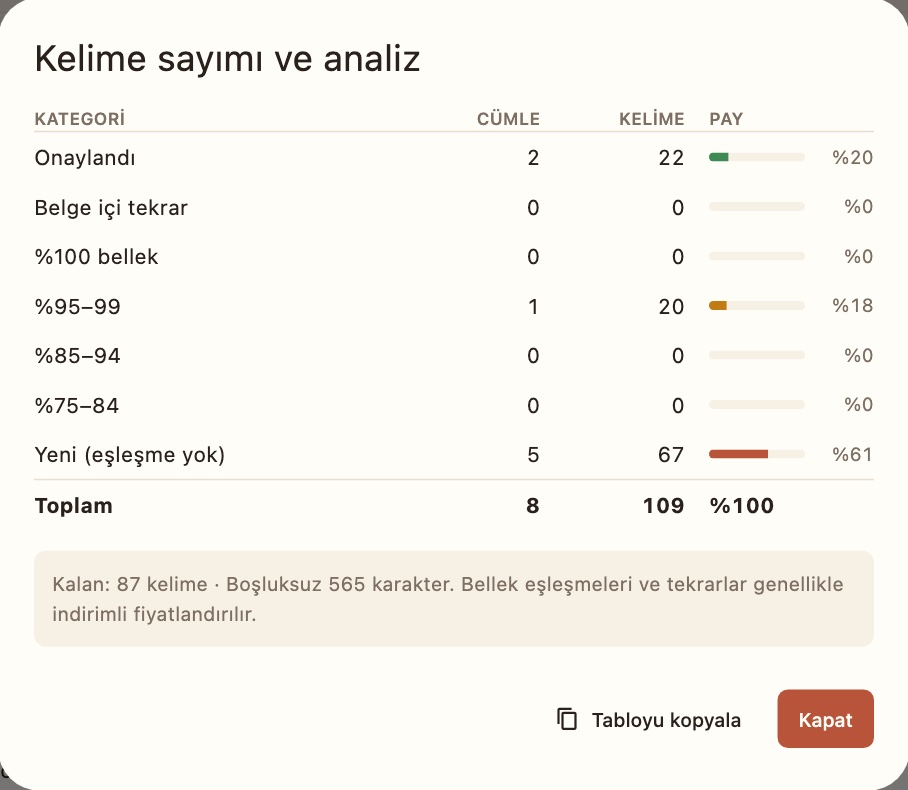
Lingtra compares the document with your memory and shows how many words are new, repeated, or memory matches. Copy the table, paste it into Excel and work out your price.
- Confirmed, internal repetitions, 100%, 95–99%, 85–94%, 75–84%, new
- Remaining words and characters without spaces
And the small things that matter
PDFs open too
A PDF is first converted to a Word document: paragraphs, headings, bold/italic and footnotes are kept. If you have the Word file, open that for the best result.
Two language pairs
English → Turkish and French → Turkish. Choose the source language on the start screen; each project remembers its own.
Mac and iPad
One subscription works on both with the same Apple Account. No iPhone version yet.
One-file backup
Projects, memory and terms go into a single .lingtra file. Restore from it on your other device.
Optional AI
Get sentence suggestions with your own Google Gemini, OpenAI or DeepL key. Text goes straight from your device to the provider.
Hands on the keyboard
Confirm and move on, previous/next sentence, insert the next tag, copy the source, apply a memory match: all have shortcuts.
How it works
A translated document in three steps
-
Open your document
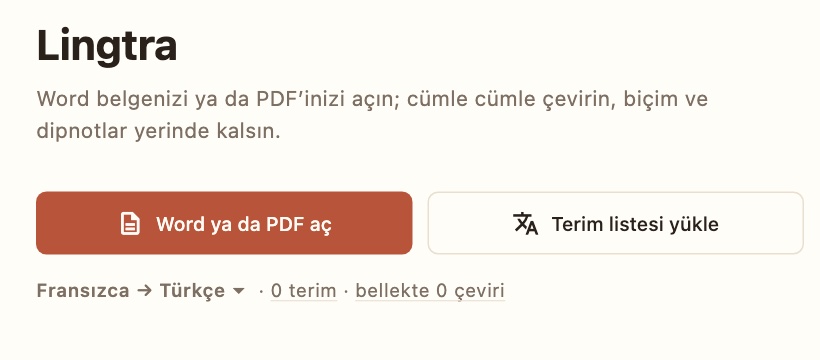
Choose the source language on the start screen and open your Word or PDF file. Load your glossary too, if you have one.
-
Translate sentence by sentence
Type the translation and press Enter. Memory suggestions, terms and quality warnings update in the side panel as you type.
-
Export to Word
Choose Export to get a Word document with the same layout. Your original file stays exactly as it was.
Tez_Bolum2.docxTez_Bolum2_TR.docx
Pricing
Start free, go Pro when you grow
No feature is locked in the free version; only the number of projects and terms is limited.
Free
No chargeNo time limit
- Every feature
- 1 project
- Termbase up to 500 terms
- Translation memory, TMX, CSV, analysis, backup
Lingtra Pro Yearly
Yearly subscriptionOn the App Store, in your local price
- Unlimited projects
- Unlimited terms
- One subscription for Mac and iPad
- Cancel any time from the App Store
Renews automatically. If you cancel, you keep Pro until the end of the period, and your projects are never deleted.
AI suggestions are not included in the subscription: you use your own key, and the provider's pricing applies, if any.
Your text never reaches us.
The documents you translate may be thesis chapters, contracts or client files. That is why Lingtra has no server.
No account
Open it and start working. No sign-up, no email address.
No server
Documents, memory and terms are stored only on your device.
No tracking
No ads, analytics or tracking code. Purchases are handled by Apple.
If you turn on AI, our Privacy Policy spells out exactly what is sent.
Do your next translation in Lingtra
For Mac and iPad, coming soon to the App Store.